CM Punjab Rahmat Card App Download & Registration Guide 2026 (Easy Step-by-Step)
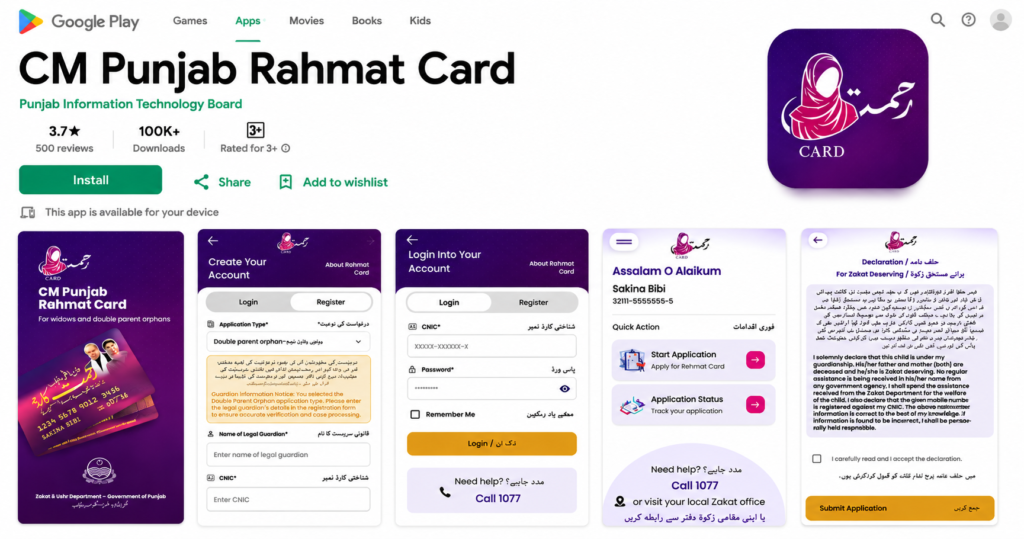
The CM Punjab Rahmat Card App is the official mobile application launched by the Punjab Information Technology Board (PITB) for the Punjab Zakat & Ushr Department. It enables eligible widows and double-parent orphans (through their legal guardians) to apply for the CM Punjab Rahmat Card Program digitally, eliminating the need for lengthy paper-based procedures. The app is available for Android devices and has already crossed 100,000 downloads on Google Play.
Whether you’re downloading the app for the first time or looking for guidance on registration and application submission, this guide covers everything you need to know.
Table of Contents
What is the CM Punjab Rahmat Card App?
The CM Punjab Rahmat Card App is an official Android application designed to help eligible applicants:
- Register for the Rahmat Card Program
- Create a secure account
- Log in anytime
- Submit online applications
- Track application status
- Receive program updates
- Contact the official support helpline
The app is part of the Punjab Government’s initiative to digitize welfare services and make financial assistance more accessible for deserving families.
Deserving households struggling with rising food expenses can also learn about the Punjab Sanjhi Sabzi Scheme providing free seasonal vegetables.
App Details
| Feature | Details |
|---|---|
| App Name | CM Punjab Rahmat Card |
| Developer | Punjab Information Technology Board (PITB) |
| Department | Punjab Zakat & Ushr Department |
| Platform | Android |
| Downloads | 100,000+ |
| Category | Productivity |
| Cost | Free |
| Official Helpline | 1077 |
How to Download the CM Punjab Rahmat Card App
Downloading the app is simple and only takes a few minutes.
Step 1
Open the Google Play Store on your Android phone.
Step 2
Search for:
CM Punjab Rahmat Card
Step 3
Confirm that the developer is Punjab Information Technology Board (PITB).
Step 4
Tap Install.
Step 5
Wait for the installation to finish.
Step 6
Open the application and begin the registration process.
You can also download it directly from the official Google Play listing or access information through the Punjab Government’s Rahmat Card portal.
How to Create an Account
After opening the app:
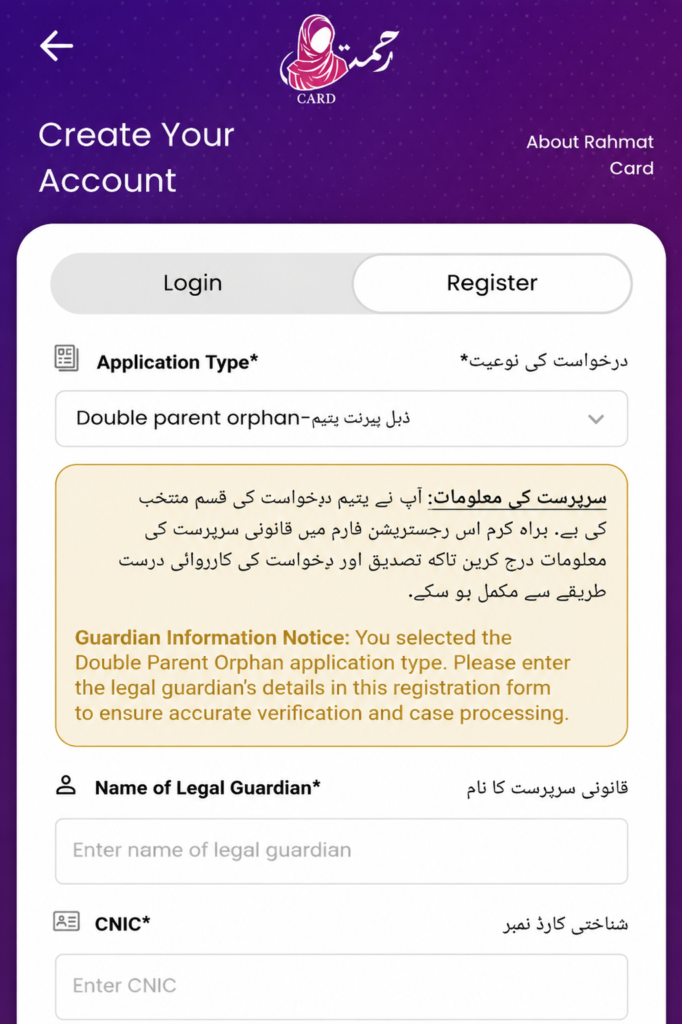
- Tap Register.
- Select your Application Type.
- Enter your personal information.
- Provide your CNIC number.
- Enter your mobile number.
- Create a secure password.
- Complete the registration form.
- Submit your account details.
Your account will then be created successfully.
Application Types Available
The app currently supports different application categories, including:
Widow Application
Widows can register using their own CNIC and supporting documents.
Double Parent Orphan Application
For orphan applicants, the legal guardian must complete the registration using their own information, as shown in the registration screen within the app.
Guardians caring for children with serious cardiac conditions can also read our Children Heart Surgery Program free treatment guide to understand its eligibility, documents and treatment process.
Required Documents
Before starting your application, keep these documents ready:
- Original CNIC
- NADRA-issued widow status (where applicable)
- B-Form of children
- Death certificate (if required for verification)
- Mobile number registered in your own name
- Any additional documents requested during verification
How to Log In
If you already have an account:
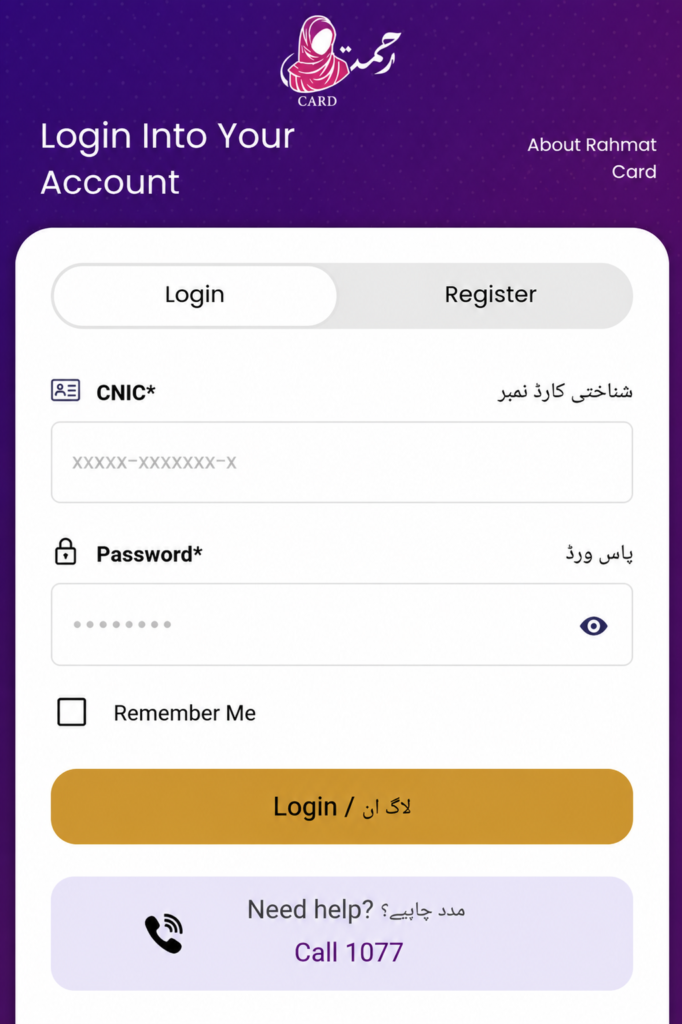
- Open the app.
- Select Login.
- Enter your CNIC.
- Enter your password.
- Tap Login.
The app also includes a Remember Me option for quicker access on future visits.
How to Submit an Application
Once logged in:
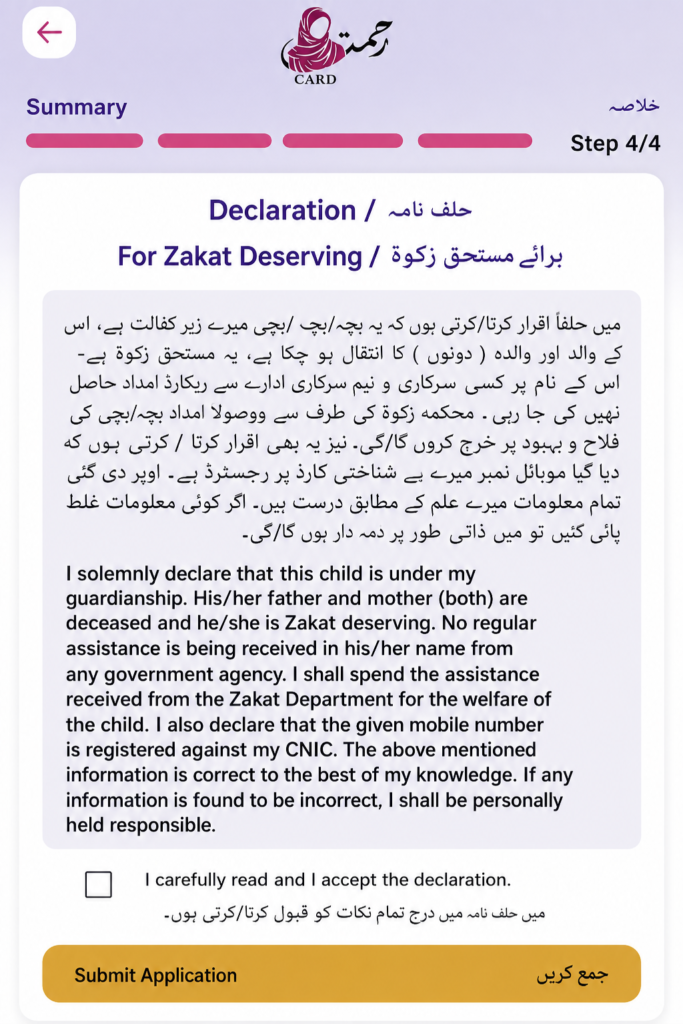
Step 1
Tap Start Application.
Step 2
Choose the appropriate application category.
Step 3
Fill in all required personal information.
Step 4
Provide guardian details if applying for a double-parent orphan.
Step 5
Review your information carefully.
Step 6
Read the declaration.
Step 7
Tick the declaration checkbox.
Step 8
Tap Submit Application.
After submission, your application is sent for verification.
How to Check Application Status
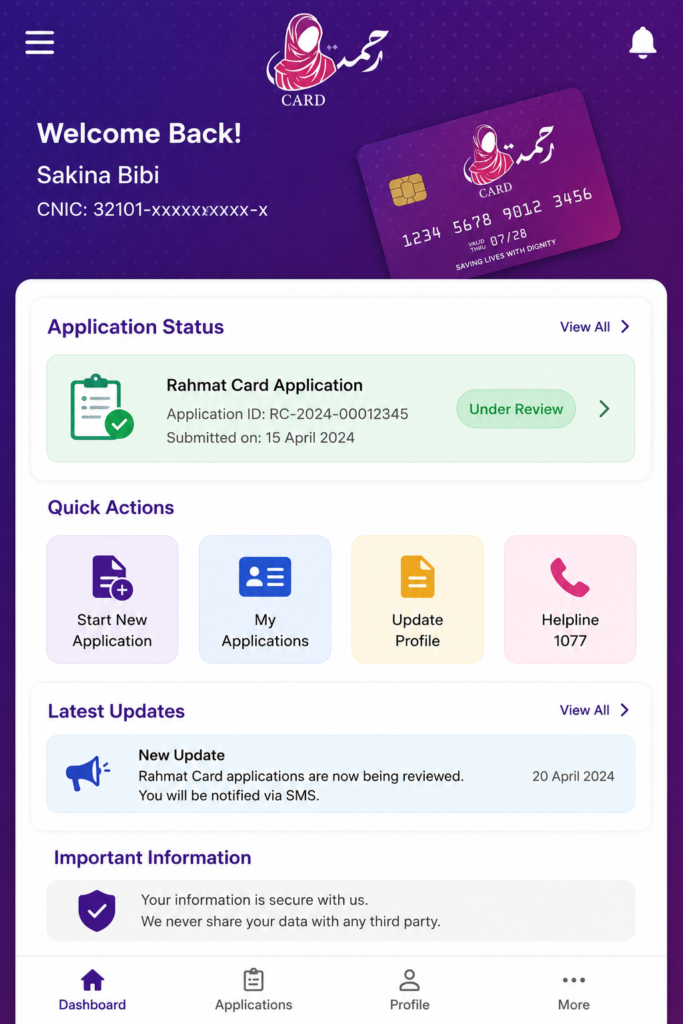
The dashboard includes an Application Status option.
Simply:
- Log in.
- Tap Application Status.
- View your latest application progress.
This helps applicants monitor whether their application is under review, approved, or requires further action.
Key Features of the App
The CM Punjab Rahmat Card App offers several useful features:
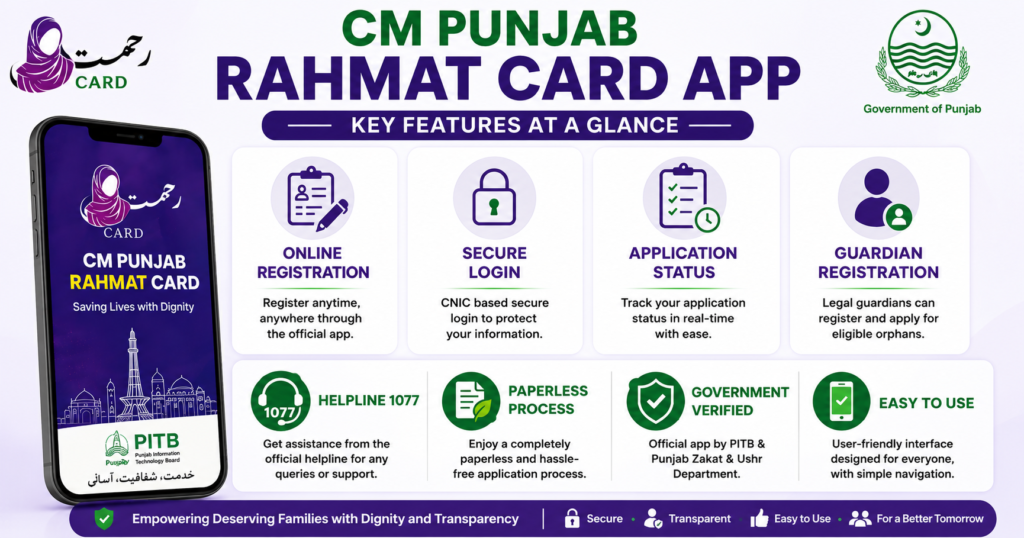
- Online registration
- Secure account creation
- CNIC-based login
- Start new application
- Track application status
- Guardian registration
- Digital declaration
- Official helpline support
- Paperless application process
Benefits of Using the App
Using the official app provides several advantages:
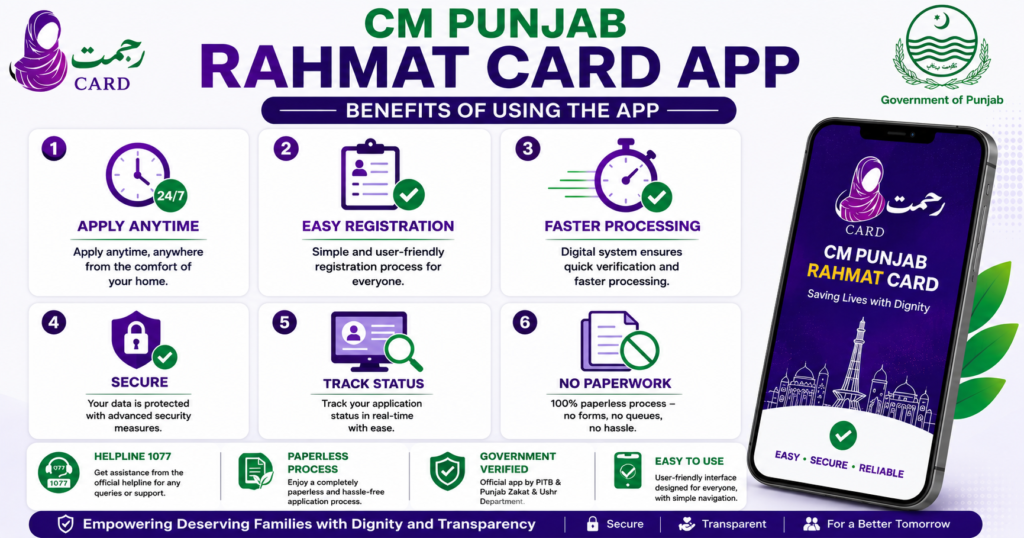
- Apply anytime from home.
- No need to visit offices for initial registration.
- Faster application submission.
- Easy status tracking.
- Secure government platform.
- Reduced paperwork.
- User-friendly interface.
- Quick access to official updates.
Low-income families who need to repair an unsafe roof or construct additional living space may also explore the Apni Chhat Mehfooz Chhat Scheme 2026 online application guide.
Is the App Safe?
The app is published by the Punjab Information Technology Board (PITB) on Google Play. According to the Play Store listing, the developer states that it does not share user data with third parties, does not collect user data, and allows users to request deletion of their data. As with any government service, download the app only from official sources to avoid unofficial copies.
Frequently Asked Questions
Is the CM Punjab Rahmat Card App free?
Yes. The app is completely free to download and use.
Who developed the app?
It is developed by the Punjab Information Technology Board (PITB) for the Punjab Zakat & Ushr Department.
Can I register through the app?
Yes. Eligible applicants can create an account and complete the registration process within the app.
Can I check my application status?
Yes. The app includes an Application Status section where you can track your application.
Is the app available for Android?
Yes. The official version is available on Google Play.
What is the official helpline?
For assistance, applicants can contact 1077.
Conclusion
The CM Punjab Rahmat Card App provides a convenient way for eligible widows and double-parent orphans to apply for financial assistance under the Punjab Government’s Rahmat Card Program. With features like secure registration, online application submission, status tracking, and official support, the app simplifies the entire process and reduces the need for repeated visits to government offices.
For the safest experience, always download the application from the official Google Play Store or the official Punjab Government Rahmat Card portal and ensure that all information entered during registration is accurate and up to date.