
eBiz Punjab 2026: Online Business Registration, NOCs and Licences
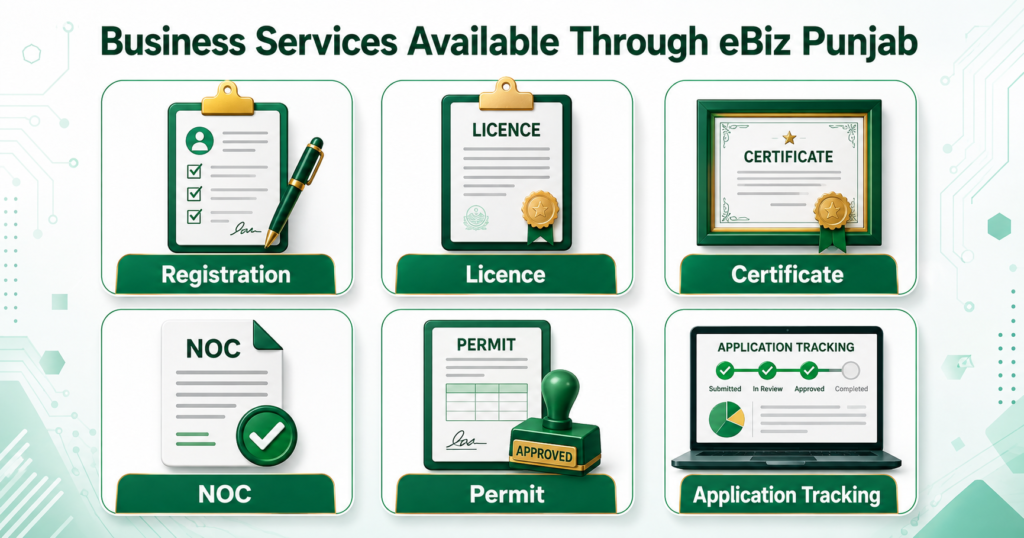
Starting or expanding a business often requires registrations, licences, certificates, NOCs and approvals from different government departments. Visiting several offices for these requirements can consume considerable time and make it difficult for entrepreneurs to understand the correct procedure.
eBiz Punjab is a unified digital platform designed to simplify this process. Developed with the support of the Punjab Information Technology Board, the portal connects entrepreneurs and existing businesses with regulatory services required to establish and operate a business in Punjab.
Applicants can explore requirements according to their business sector, submit applications for available services and track their progress online. The platform is intended to improve transparency, accessibility and coordination between businesses and government departments.
This guide explains how the eBiz Punjab portal works, which business sectors it covers, how to apply for a licence or NOC, what documents may be required and how to track an application.
What Is eBiz Punjab?
eBiz Punjab is the Government of Punjab’s online business facilitation portal. It serves as a centralized gateway for obtaining registrations, licences, certificates, regulatory approvals and other documents required to start or run a business in the province.
Instead of searching separately for every department, entrepreneurs can use the platform to identify approvals connected with their proposed business activity. The portal organizes information by sector and directs applicants to relevant digital services.
According to the official platform, its purpose is to create a more transparent, efficient and business-friendly environment. Its major features include:
- Access to business-related registrations and licences
- Sector-specific regulatory information
- Online submission for supported services
- Digital payment options where available
- Application status tracking
- Better coordination between government departments
- Guidance on establishing and operating a business
The portal is powered by the Punjab Information Technology Board, commonly known as PITB, and is available through the official eBiz Punjab website.
eBiz Punjab Portal at a Glance
| Feature | Details |
|---|---|
| Portal name | eBiz Punjab |
| Purpose | Business registration and regulatory facilitation |
| Province | Punjab, Pakistan |
| Services | Registrations, licences, certificates, permits and NOCs |
| Application method | Online for supported services |
| Tracking | Application number and CNIC |
| Technical support | Punjab Information Technology Board |
| Official website | ebiz.punjab.gov.pk |
| Application assistance | Maryam Ki Dastak facilitator |
The exact processing time, charges and required documents can differ according to the service and responsible department.
Who Can Use the Punjab Business Portal?
The platform is useful for people who want to establish, legalize, expand or modify a business in Punjab. Potential users include:
- Individual entrepreneurs
- Sole proprietors
- Partnerships and associations of persons
- Small and medium-sized businesses
- Manufacturers and industrial units
- Restaurant, hotel and food-business operators
- Construction companies and property developers
- Transport and storage businesses
- Agricultural enterprises
- Local and foreign investors
- Existing companies requiring renewals or additional approvals
An applicant should select the service that matches the business’s legal structure, location and commercial activity. A sole proprietor, for example, may have different requirements from a private limited company or manufacturing unit.
Business Sectors Available on eBiz Punjab
A major advantage of the portal is its sector-based organization. Users can explore requirements for a wide range of commercial activities, including:
- Agriculture, forestry and fishing
- Mining and quarrying
- Manufacturing
- Energy and utilities
- Water supply and sewerage
- Construction
- Automobile
- Transportation and storage
- Accommodation and food services
- Information and communication
- Financial and insurance services
- Real estate
- Scientific and technical activities
- Administrative support services
- Education
- Health and social work
- Arts, entertainment and recreation
- Other service activities
These categories help applicants locate the business licences in Punjab relevant to their activity. However, the available approvals can differ between industries, locations and local government jurisdictions.
For example, a restaurant may require food-related approval, commercial premises documentation and local authority permissions. A factory may need industrial, environmental, labour, building and safety clearances.
Registrations Available for Establishing a Business
The portal provides information or access routes for several forms of Punjab business registration. These include:
Sole Proprietorship
A sole proprietorship is owned and operated by one person. The business and its owner are generally not treated as separate legal entities. Registration requirements can depend on the nature of the activity and whether labour, tax or social-security registrations are applicable.
Association of Persons or Partnership Firm
Two or more individuals conducting business together may form a partnership or Association of Persons. Applicants may need a partnership deed, details of the partners, CNIC copies and the business address.
Single Member Company
A company owned by one member is generally registered with the Securities and Exchange Commission of Pakistan. The eBiz platform may direct applicants to the appropriate SECP digital service.
Private or Public Limited Company
Companies operating under a limited-liability structure must complete incorporation and post-incorporation requirements through the relevant federal and provincial authorities.
Labour Registration
Businesses employing workers may need registration with the Punjab Labour and Human Resource Department, depending on the applicable laws and establishment type.
PESSI Registration
Eligible employers may be required to register with the Punjab Employees Social Security Institution. The older PITB-supported Business Registration Portal provides online registration for partnership firms, shops and establishments, and PESSI-related requirements, while also supporting application tracking and online certificates. PITB describes these facilities on its official business-registration page.
How to Apply Through eBiz Punjab
The exact workflow may vary by service, but applicants can generally follow these steps.
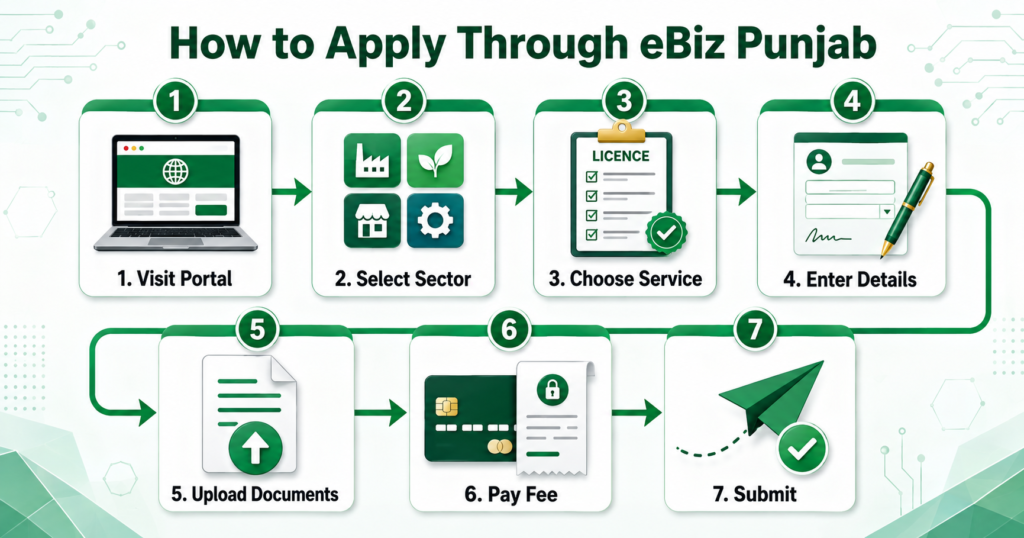
Step 1: Visit the Official Portal
Open ebiz.punjab.gov.pk. Check the domain carefully before entering your CNIC or uploading documents.
Step 2: Select Your Business Sector
Choose the sector that best describes the intended activity, such as manufacturing, construction, food services, transport or education.
Step 3: Choose the Relevant Business Activity
Select the specific activity within that sector. The portal may display the registrations, certificates, licences, permits or NOCs connected with it.
Step 4: Review the Service Requirements
Read the eligibility conditions, required documents, responsible department, expected processing period and applicable charges. Requirements should be checked separately for each approval.
Step 5: Open the Application Service
Select the relevant service and proceed to its application page. Some services may be completed within the portal, while others may redirect applicants to an integrated government system.
Step 6: Enter the Applicant’s Information
Provide the requested information accurately. This may include:
- Applicant’s full name
- CNIC number
- Mobile number
- Email address
- Business name
- Legal structure
- Business address
- District and tehsil
- Nature of commercial activity
- Ownership or tenancy details
Step 7: Upload Supporting Documents
Upload clear, readable copies in the required format. Incorrect, expired or unclear documents may lead to an objection or delay.
Step 8: Pay the Applicable Fee
If the selected service requires a government fee, use the payment method shown by the portal. Keep the payment receipt or transaction reference for your records.
Step 9: Submit and Save the Application Number
Review every field before submission. After applying, note or download the application number because it may be needed for tracking and communication with the department.
Documents Required for eBiz Punjab Applications
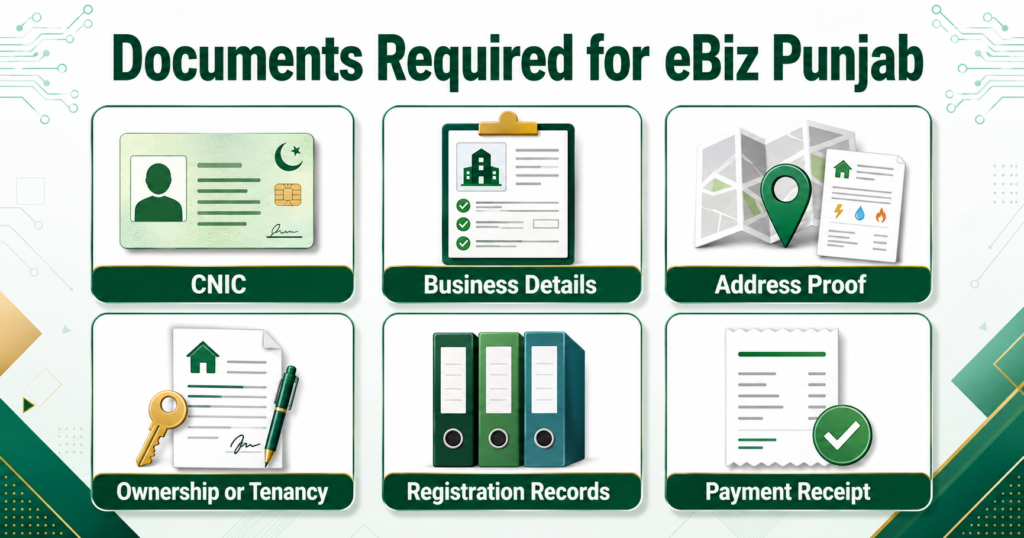
There is no single document list for every business. The following items are commonly needed for an online business licence in Punjab:
- Applicant’s CNIC
- Passport-sized photograph, if required
- Active mobile number and email address
- Business name and address
- Proof of ownership or tenancy agreement
- Partnership deed for a partnership firm
- SECP incorporation documents for a company
- NTN or tax-registration information, where applicable
- Building plan or site layout
- Land-use or zoning documents
- Utility bill
- Ownership documents
- Technical or professional certificates
- Environmental or safety documents
- Labour and employee information
- Previous licence for renewal cases
- Challan or digital payment receipt
Applicants should rely on the checklist displayed against their selected service. A document required for a petrol pump, industrial unit or restaurant may not apply to a home-based IT business.
How to Track an eBiz Punjab Application
The portal includes an application tracking system. To check the current status:
- Visit the official portal.
- Open “Track Application.”
- Enter the application number.
- Enter the applicant’s CNIC.
- Select “Submit” to view the available status.
The tracking pages on the official portal ask for both the application number and CNIC, which helps prevent unauthorized access to an applicant’s status.
Possible results may indicate that the application is submitted, under review, returned for clarification, awaiting payment, approved or rejected. The exact terminology can vary between departments.
How Long Does Approval Take?
Processing time depends on the type of registration or approval, the department involved and whether the submitted documents are complete.
An official Punjab DGPR publication states that business NOCs available through the system can be obtained from home within 15 days. It also reports that over 12,000 applications had been processed and more than Rs1 billion in secure digital payments had been made through the platform. These are platform-level figures, so applicants should still check the timeline shown for their particular service. See the official DGPR information about the e-Biz Portal.
Delays may occur when:
- An uploaded document is incomplete
- Applicant information does not match official records
- A site inspection is necessary
- Another departmental approval is pending
- The application fee has not been verified
- Clarification or revised documents are requested
Fees and Online Payments
There is no universal eBiz application fee. Charges depend on the selected licence, NOC, certificate or permit. Some services may be free, while others may involve an application fee, inspection charge or government challan.
Applicants should pay only through the payment channel displayed on the official portal or by the relevant department. Avoid transferring money to personal bank accounts or unofficial agents.
Punjab entrepreneurs exploring government-supported financing can also read the Pink Salt Loan Scheme 2026 guide. People preparing to work abroad may find the Parwaaz Card application guide helpful. These programmes are separate from business licensing and have their own eligibility rules.
Benefits of Using the Portal
The PITB business portal can make regulatory compliance easier in several ways:
- It creates a central entry point for business services.
- Applicants can identify sector-specific requirements.
- Supported applications can be submitted digitally.
- Online tracking improves visibility.
- Digital payments provide a transaction record.
- Businesses can avoid unnecessary office visits.
- Standardized procedures can reduce confusion.
- Centralized records can improve departmental coordination.
The platform does not remove the legal requirements attached to a business. Instead, it makes those requirements easier to discover, apply for and monitor.
Important Safety Tips
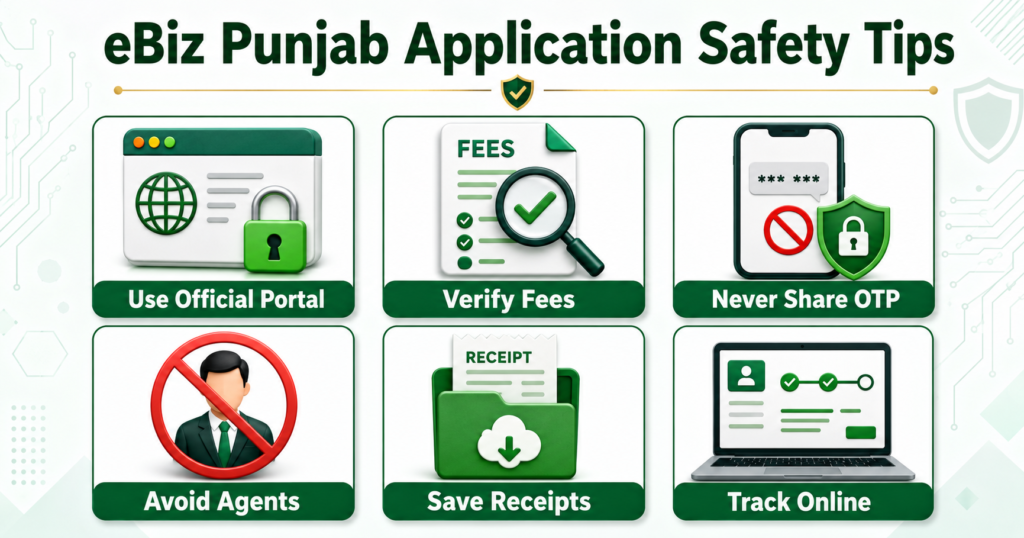
Use only the official .gov.pk portal. Never share your OTP, account password, banking PIN or payment-card information with an agent.
For safe submission:
- Confirm that the URL is
https://ebiz.punjab.gov.pk/. - Do not trust promises of guaranteed approval.
- Keep copies of applications, documents and receipts.
- Use your own mobile number and email address.
- Respond only to objections visible through official channels.
- Verify fees before making payment.
- Contact official support if the status does not change.
Applicants who cannot complete the online process may seek assistance from a Maryam Ki Dastak facilitator, as indicated on the official portal.
Other Punjab Services You May Find Useful
Business owners and residents may also benefit from other public programmes. Read about the Punjab E-Bus Service for fares, routes and travel facilities.
For emergency healthcare transport, see the Punjab Air Ambulance Service guide. Patients requiring renal treatment can review the CM Dialysis Program.
Job seekers and graduates may also explore the KPITB Internship Program 2026. Each programme has a separate portal and should not be confused with the eBiz business-approval platform.
Frequently Asked Questions
Final Words
eBiz Punjab offers entrepreneurs a more organized way to understand and complete business registration, licensing and NOC requirements. Its sector-based guidance, online applications, digital payments and tracking facilities can reduce unnecessary visits and make regulatory procedures more transparent.
Before submitting an application, identify the correct business activity, read the service-specific instructions and prepare clear documents. Always apply through the official government website and retain your application number and payment receipt until the approval process is complete.